Describe it.
Carver builds it.
An AI agent that models clean, real geometry directly in Rhino. Type what you want, and watch it appear in your viewport.
Free to start · Windows 10+ · Rhino 8 (SR35 or newer)
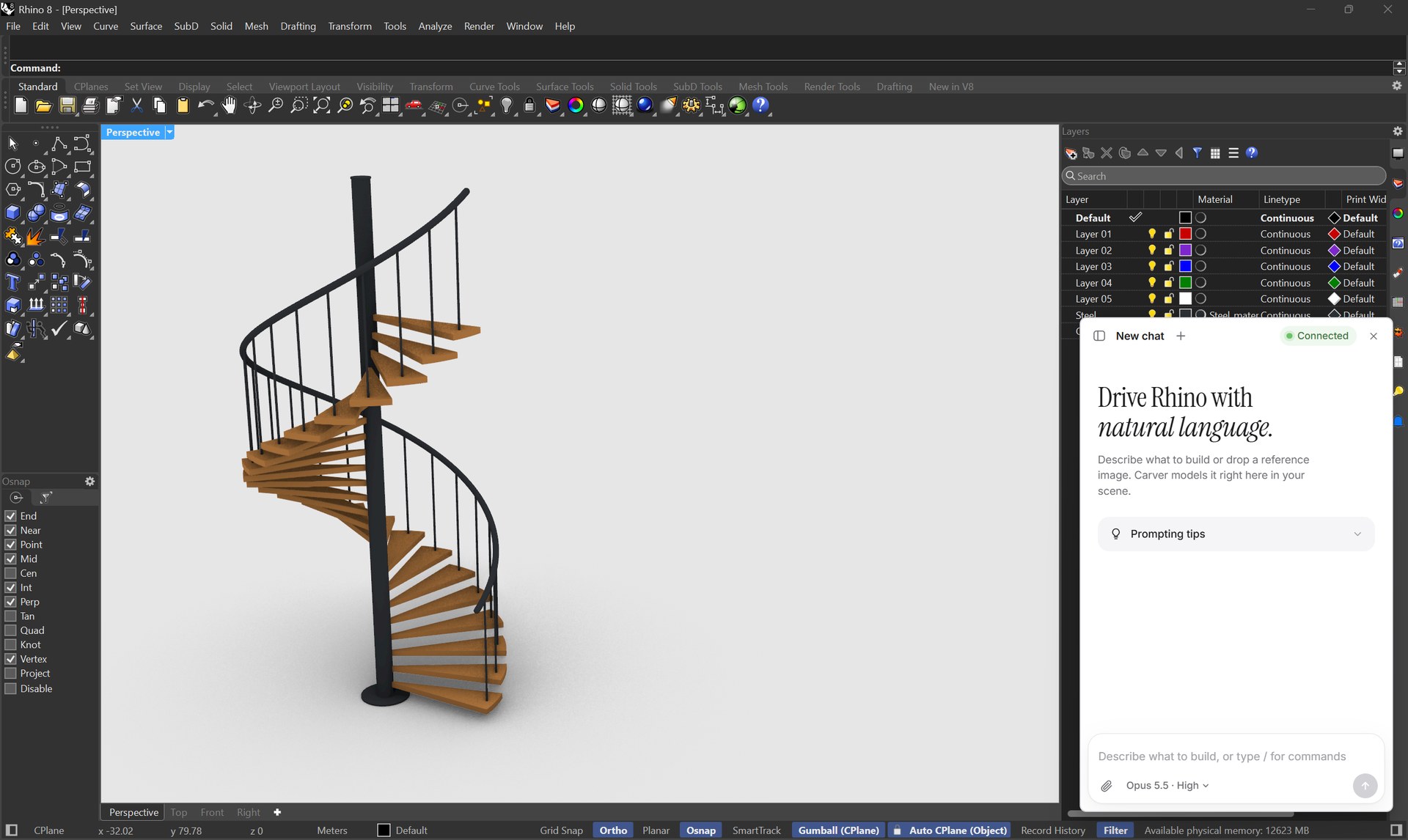
Right where
you already work.
Carver sits in the corner of your Rhino window. Open it, type, and keep working. No exports, no copy and paste, no second app.
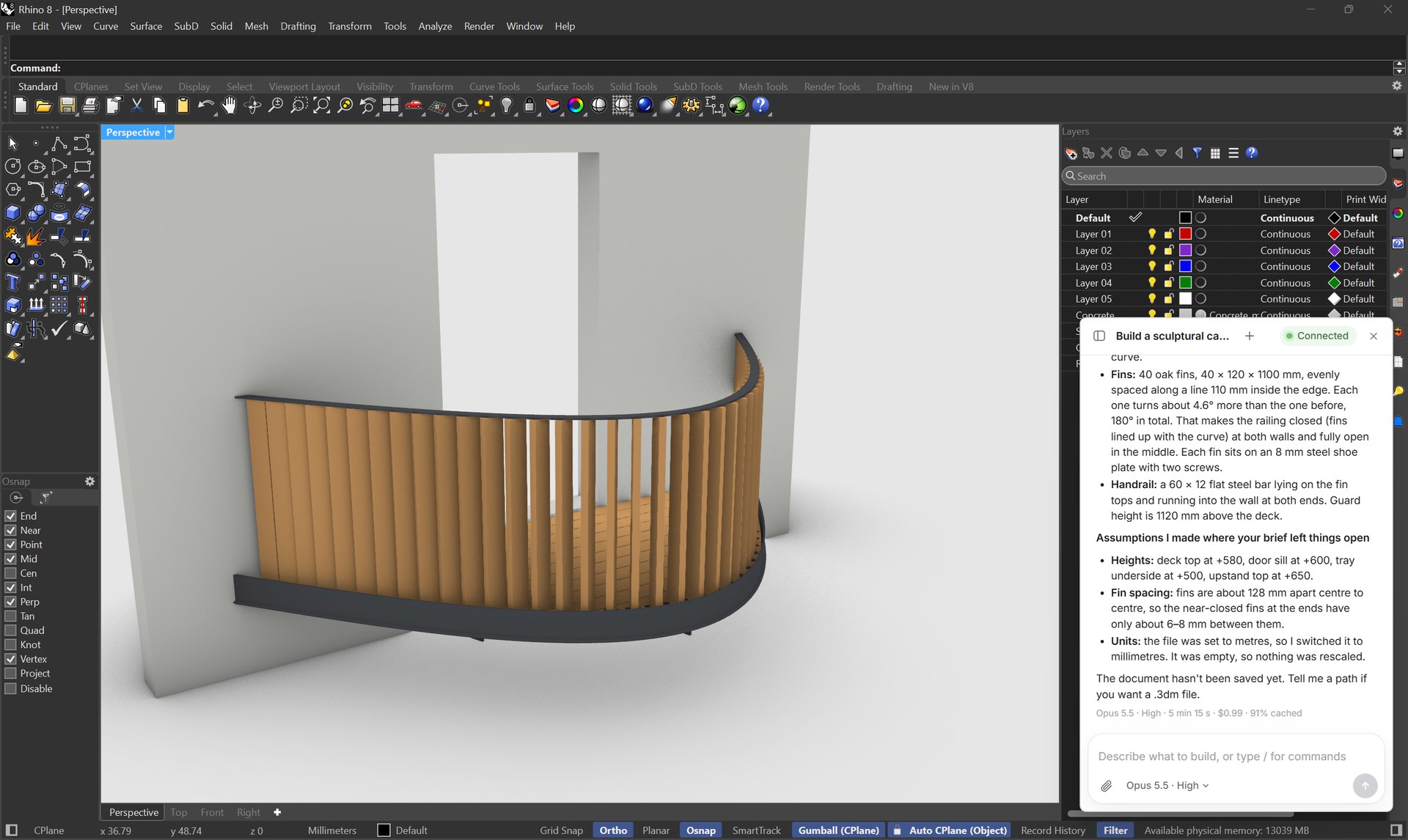
What should Carver build?
From text. From image.
To a model.
Describe it in plain words, or paste a sketch, a photo or a plan. Carver works out the parts and builds them.
Image to model
Drop or paste up to four reference images into the chat. Carver reads proportions, parts and materials, and models what it sees.
Change anything
with a sentence.
Keep talking in the same chat. Ask for a taller railing, a thicker slab or another material, and Carver changes the model in place.
229 parts.
Every one a solid.
Plates, bolts, washers, boards. Carver models each part as its own clean closed solid on the right layer, so you can dimension, detail and export it like anything you drew yourself.
One prompt each.
Built by Carver.
Every project here is a single prompt that Carver built in Rhino 8 with Opus 5.5 at High effort. Nothing was modeled by hand.
Build a timber gridshell pavilion, 9 x 6 m in plan and 3.6 m high at the crown. The roof is one smooth doubly curved shell that lands on the ground at four corners and opens into wide arches on all four sides. Make the gridshell from two layers of curved larch laths, 60 x 30 mm, crossing on a diamond grid of about 600 mm, with a small steel bolt at every crossing. Along the four arched edges, add a curved glulam edge beam, 200 x 120 mm. Each corner sits on a concrete foundation block, 800 x 800 x 400 mm, with a steel base shoe plate and four anchor bolts. Under the roof, add a 120 mm stone floor slab inside the footprint. Model every lath, bolt, beam, plate and block as its own clean solid. Put each material on its own layer with a fitting color: larch warm light wood, glulam a slightly darker wood, steel dark grey, concrete light grey, stone warm grey. Finally show a nice perspective in Rendered mode.
The best models.
Your choice.
Pick the model and how hard it should think, right in the chat. The same menu you know from Claude.
From prompt to model
in minutes.
Every clip on this page is a real Carver run in Rhino 8, sped up. No mockups, no rendering tricks.
Get CarverRun a studio or a firm?
Write to us. We set up seats and billing for your team.
Questions,
answered.
Everything about how Carver works, what you get and how your work stays yours.
Talk to usCarver is a plugin for Rhino 8. It adds a small chat in the corner of your Rhino window. You describe what you want, and an AI agent builds it as native Rhino geometry in the document you have open. It runs on Claude models and talks to Rhino through McNeel’s official Rhino MCP.
Rhino 8 for Windows and the Carver plugin. Download the file, drag it onto Rhino, and restart Rhino once. Carver sets up the connection to Rhino by itself. There are no commands to type. A Mac version is planned.
Yes. Carver writes real Rhino objects: solids, surfaces and curves on named layers with materials. Everything stays editable with the normal Rhino tools, and nothing is an image or a mesh you cannot work with.
One run is one prompt you send, however many steps Carver takes to finish it. Runs with Fable 5.1 count as five, and runs at Max effort count as two. Your account page shows how many runs you have left this month.
Opus 5.5 at Medium effort is the default and handles most modeling jobs. Use Haiku 5.5 for quick, simple changes. Use Fable 5.1 or a higher effort for large, detailed assemblies.
Yes, on Pro, Studio and BYOK. The Free plan is for personal use and trying Carver out.
To run a prompt, Carver sends your prompt, any reference images and the scene information the agent asks for to Anthropic, the company behind Claude. Anthropic does not train its models on this data. Your Rhino files stay on your computer.
Yes. Open your account page and click Manage billing. Your plan stays active until the end of the period you paid for.
Ready to model differently?
Free to start. Upgrade when your projects need more.